How does the lost-phone reveal work?
Borrow any phone with Yo-Tag. Type your tag and PIN. See your emergency contacts.
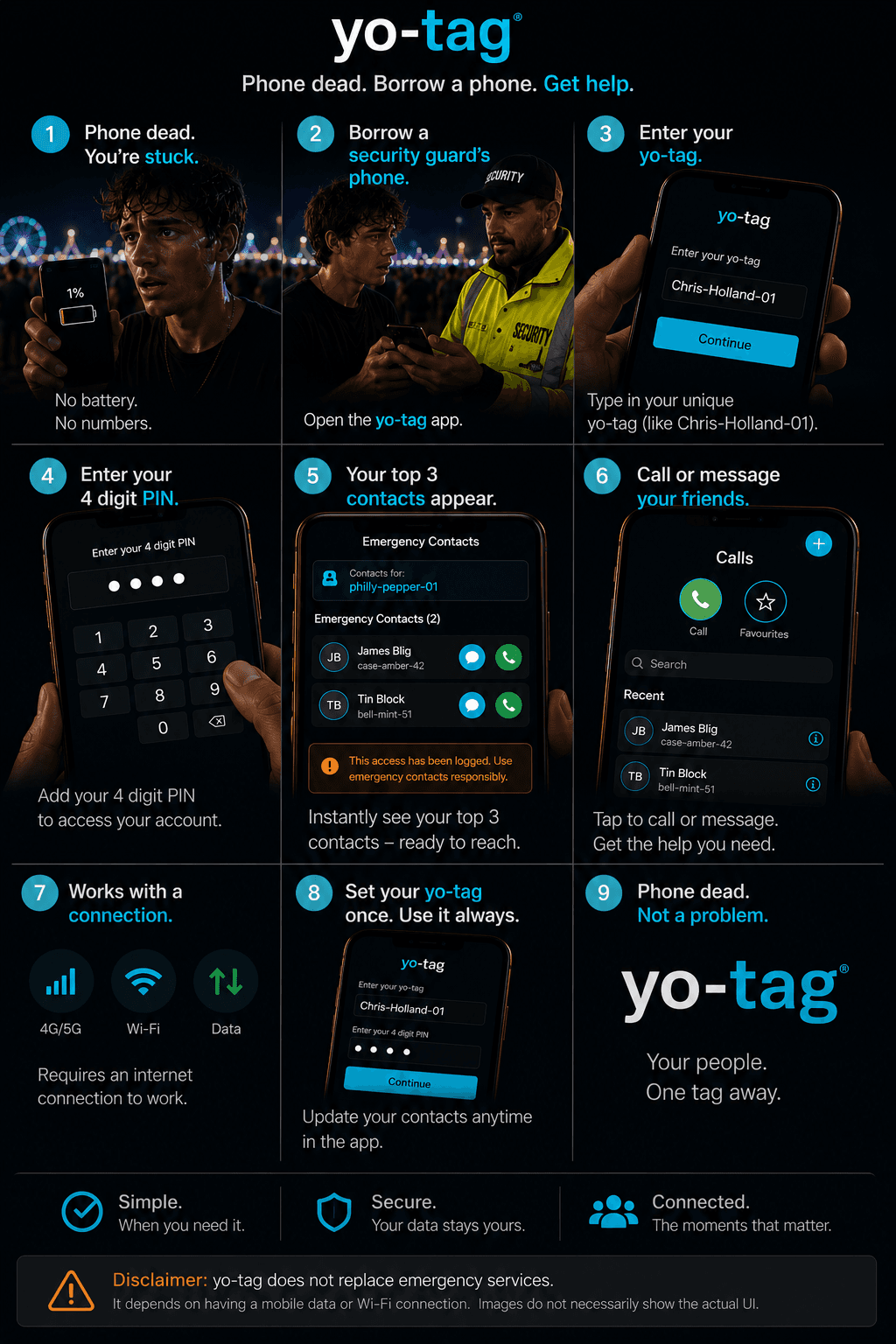
You’ve lost your phone, or it’s dead. You’re in a foreign city, or a pub, or just somewhere unfamiliar. Without your phone, you can’t remember anyone’s number.
This is what Yo-Tag was built for.
Setting it up (do this once)
First, make sure you have some connections — your emergency contacts are chosen from people you’re already connected to on Yo-Tag.
- In the app, go to the Yo tab and find "Lost phone" under Reunite
- Tap Set, then choose up to three of your connections as the people to call if your phone is lost, stolen, or dead
- Save them, then set a 4–6 digit PIN
Using it (when you need it)
- Borrow any phone — a friend’s, a stranger’s, the security desk’s — that has Yo-Tag installed
- Open Yo-Tag, go to the Yo tab, and tap "Lost phone" under Reunite
- Type YOUR tag (not theirs) and YOUR PIN
- Your three emergency contacts appear on the borrowed phone
- Tap to call any of them — directly from the borrowed phone
The borrowed phone’s owner doesn’t see your PIN or your contacts. The reveal is private to whoever entered the PIN.
Tip: pick PIN carefully
Choose a PIN you’ll remember without your phone. Don’t use the same PIN as your bank card. Don’t write it down.
Yo-Tag does not replace emergency services. In an emergency, dial 999 (or your local equivalent) from any phone — no app required.
Still need help? support@yo-tag.com — we'll get back to you as soon as we can.
Related in Family & emergency