How does Reunite work?
When someone finds your child, pet, or belongings, they enter your tag and you’re alerted straight away. With a Family Plan, your whole family is pinged — whoever responds first handles it.
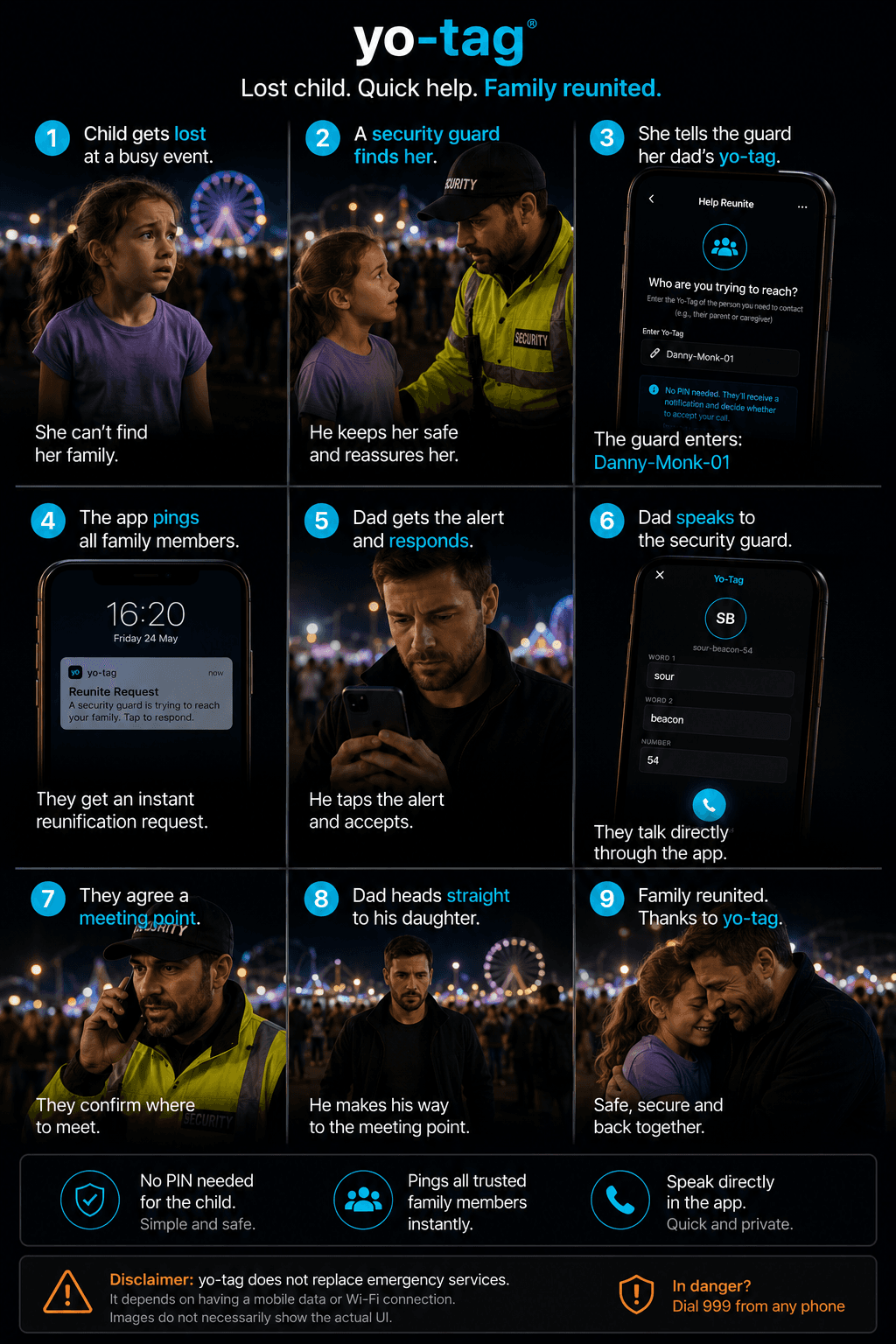
Reunite is for the moment when someone finds your child, your pet, or something you’ve lost — and needs to get hold of you fast.
How it works for the finder
- They download Yo-Tag (free) or use it if they already have it
- They open the Yo tab and tap "Help reunite"
- They type your tag (printed on the wristband, collar, sticker, or simply told to them)
- No PIN required — the finder doesn’t need anything beyond the tag
What happens on your side
- You get an instant Reunite notification
- If you’re on a Family Plan, ALL family members are pinged at the same time — whoever responds first handles it
- You tap the notification to accept. The finder is connected to you through the app
- You can speak directly, agree a meeting point, and get back together
Why no PIN for the finder?
PINs are for self-rescue — when YOU need to use someone else’s phone to reach your own contacts. Reunite is the opposite: a stranger trying to reach you. Requiring them to know a PIN would defeat the point. Instead, YOU decide whether to accept the connection when their request comes in.
For children and pets
This is the flow we designed for kids who can’t remember a PIN, dogs who can’t use a phone, and pieces of luggage that obviously can’t. A wristband, collar, or sticker with your tag on it is enough.